Import Sample Data
When starting development, it can be really useful to have some sample data to work with, and to test your application. This tutorial will walk you through importing sample FHIR data into your Fanoni project to aid in building a realistic application.
The Fanoni app is an administrative console, where developers can view their Fanoni data, audit resource changes, and configure project settings. Most Fanoni users do not use the Fanoni app for patient or physician workflows, but rather build customized experiences or build on Fanoni's example applications.
Read more about the Fanoni EHR here
Download JSON Files
Below are resources belonging to two patients. This is FHIR data constructed in accordance with the USCDI Data Element standards. That means that the FHIR Resources provided are tagged with the right CodableConcepts and ontologies to match the interoperability requirements for an EHR in the US.
Download one or both of the following files:
| Data | Download |
|---|---|
| Patient 1 | Patient 1 Download |
| Patient 2 | Patient 2 Download |
Batch Upload Tool
Log into Fanoni and navigate to the batch create tool. Upload the files you downloaded in the previous section.
Do not upload files twice. If you aren't sure whether the upload worked, go to the Patient page. If you see a patient there - it worked.
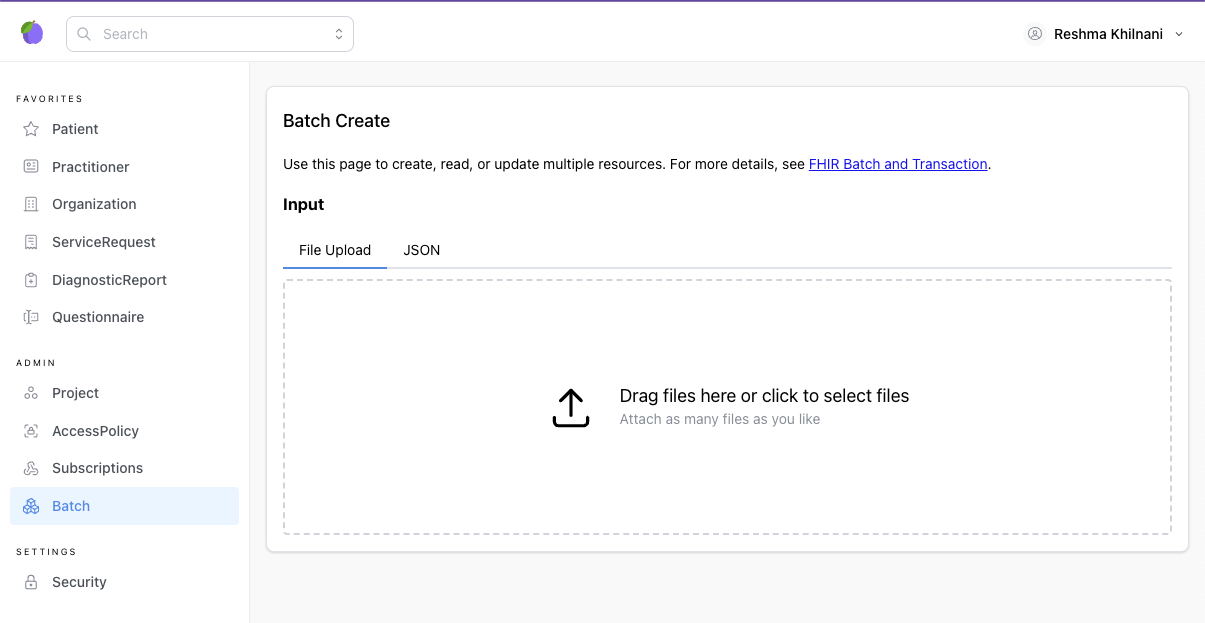
The batch upload tool is a lightweight wrapper around the batch/transaction api and here is the documentation on how to upload a batch using the SDK.