Clinic Favorite Medications
The Fanoni-DoseSpot integration allows you to configure clinic favorite medications which can significantly reduce the number of clicks required for clinicians to prescribe common medications. This allows your organization to:
- Standardize prescribing practices across your clinic to avoid mistakes and excessive clicks
- Reduce prescription time for clinicians to prescribe frequently prescribed medications
How It Works
When clinicians access the DoseSpot eRx iframe through Fanoni, they'll see an option to start with one of your organization's favorite medications displayed when creating a new prescription. This allows them to:
- Quickly select from your organization's favorite medications
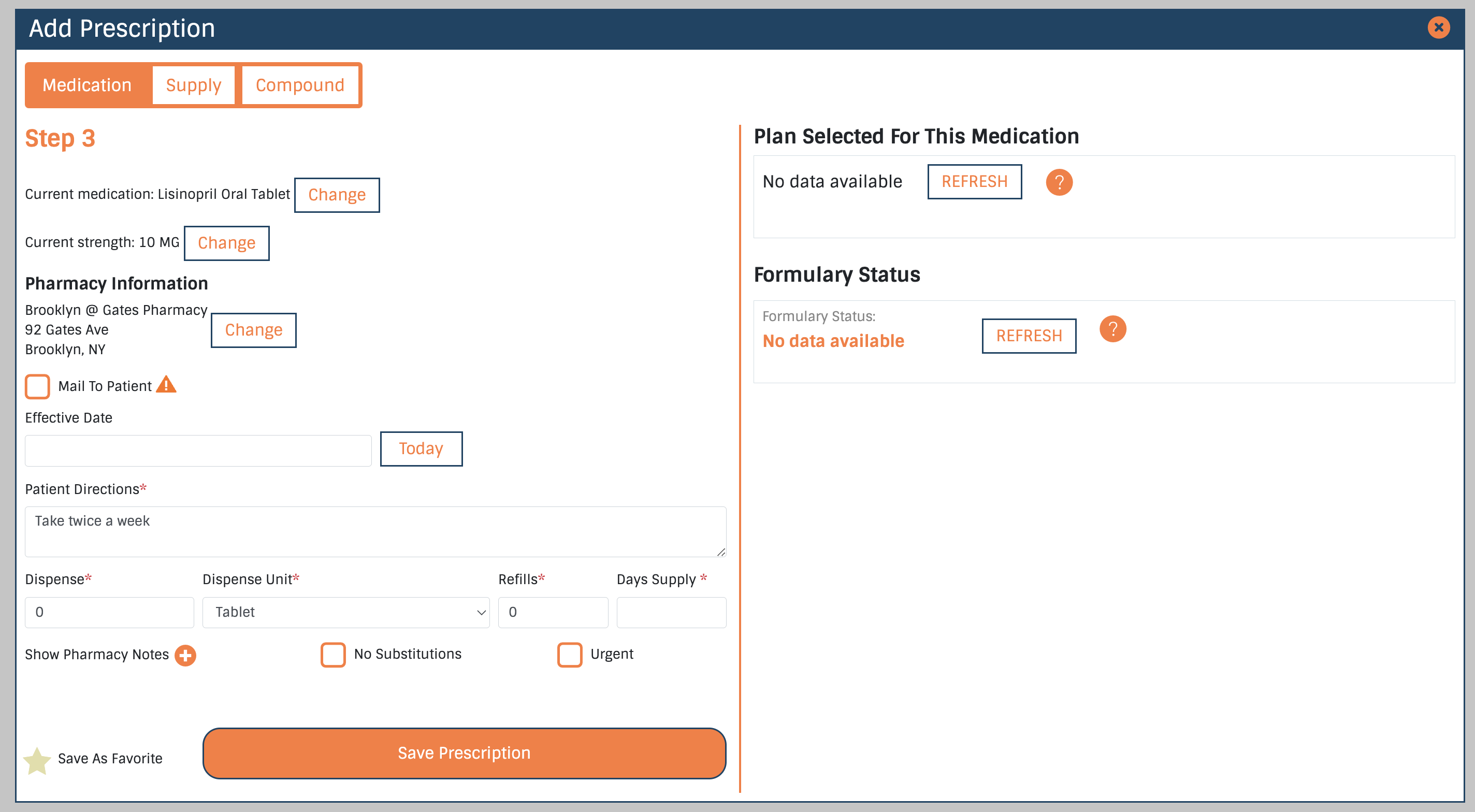
- Input Prescription Specifics: Edit any of the default details for the medication, like the strength, patient instructions, or dispense type that might need to be customized for this specific prescription
- Save the prescription
Setting Up Clinic Favorite Medications
The following step-by-step guide, using the Fanoni Provider App DoseSpot page, will walk you through configuring favorite medications in DoseSpot for your organization.
1. Use the Fanoni Provider App DoseSpot page to add a new DoseSpot favorite medication.
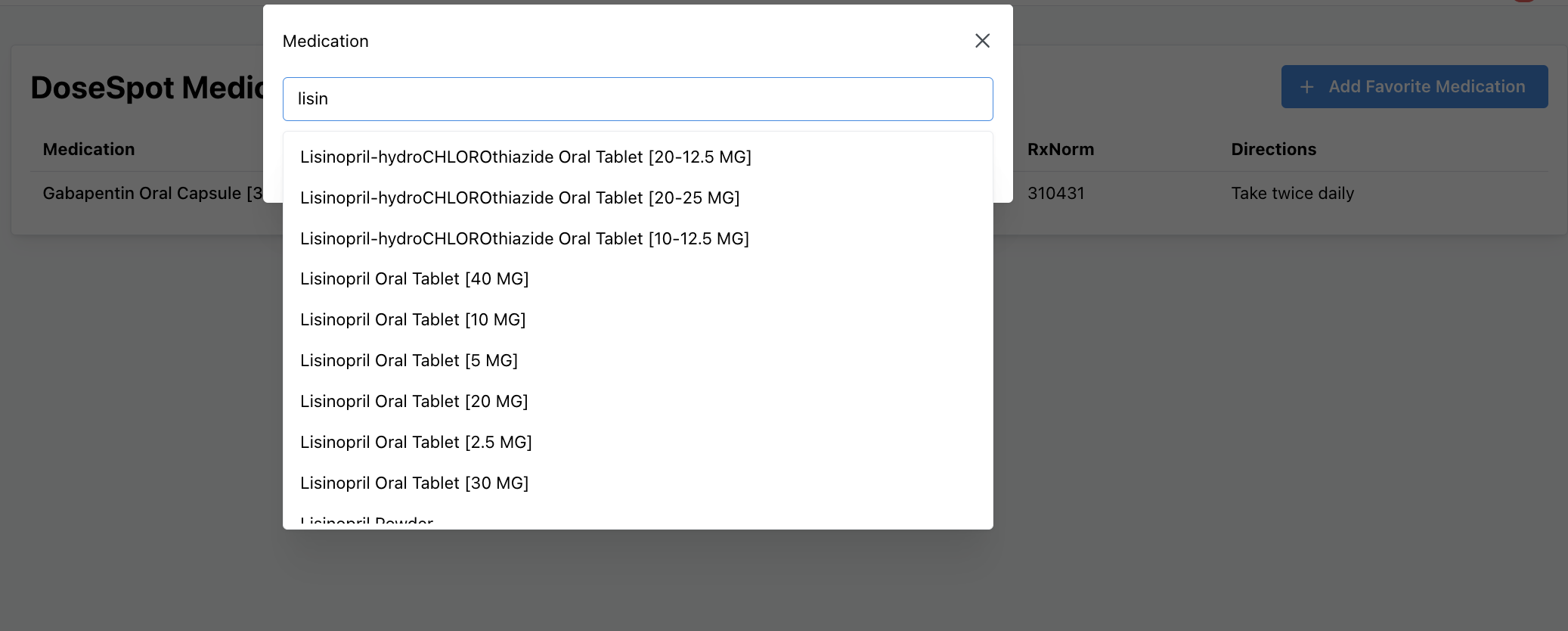
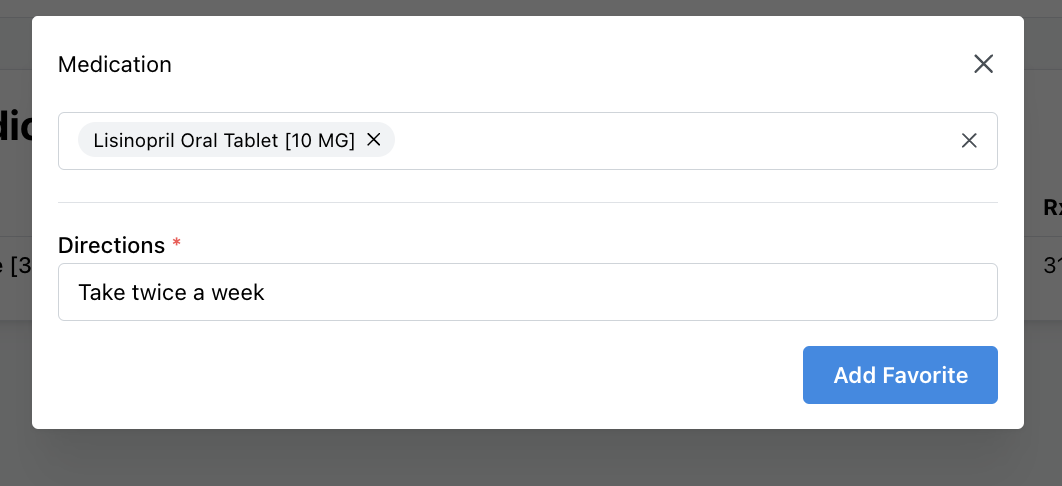
2. Select the medication you want, add your patient directions, and save to your favorites.
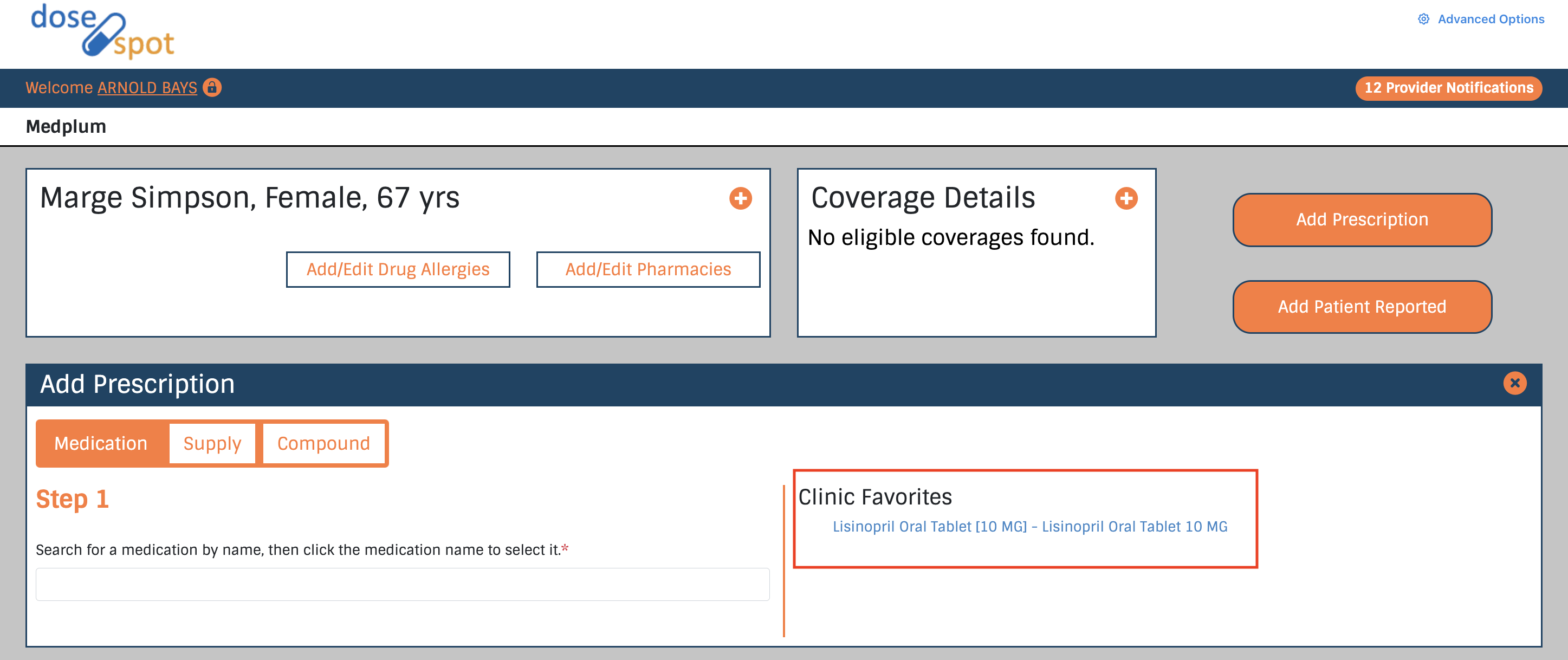
3. The medication will now be available in DoseSpot iframe when creating a new prescription.
4. Select the medication from your favorites when creating a new prescription, and fill out any additional details if needed.
This Fanoni Provider App DoseSpot page is an unopinionated example of a favorite medication management page. The building blocks for it are in the useDoseSpotClinicFormulary hook from the Fanoni react hooks package. You can use this hook to build your own favorite medication management page, using your own frontend patterns and components.
The Provider App example implementation can be found here.
This feature requires your Fanoni User to be configured as a DoseSpot ClinicianAdmin. Contact Fanoni support for help with this.